SCS SOFTWARE / OPEN BETA

American Truck Simulator 1.62 Beta

SCS Software’s ATS 1.62 Open Beta is available through Steam’s public_beta branch. Review the changes and join the test.

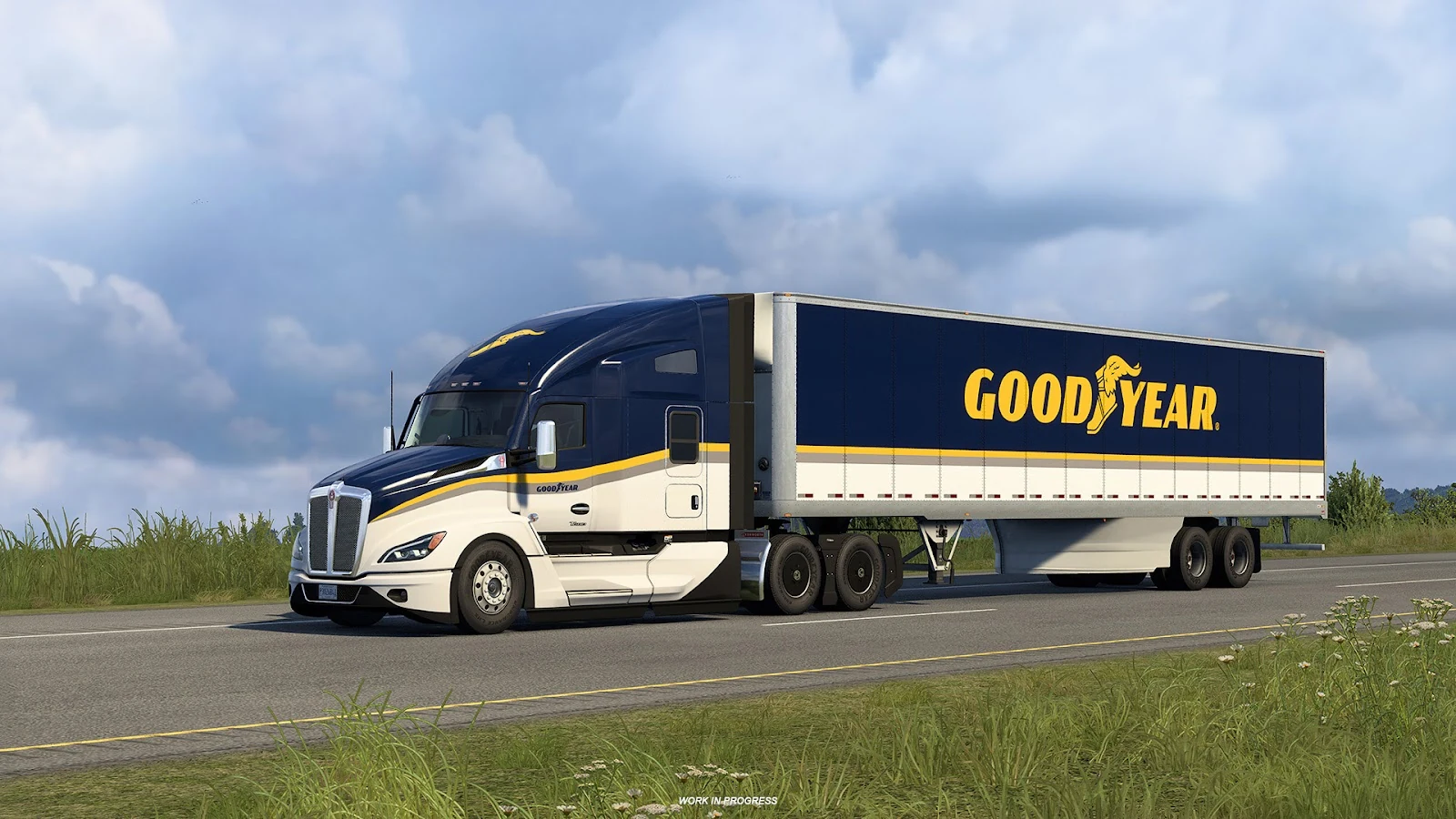
A Goodyear-liveried truck driving on a rural highway in American Truck Simulator
Official game imagery © SCS Software

HY8BIT / Checked

Beta released

1.62 Open Beta

What’s new in ATS 1.62 Open Beta?

American Truck Simulator 1.62 Open Beta is SCS Software’s test update, announced on October 20, 2026. To join, select public_beta in the game’s Steam beta settings. This is a test build, not the stable release.

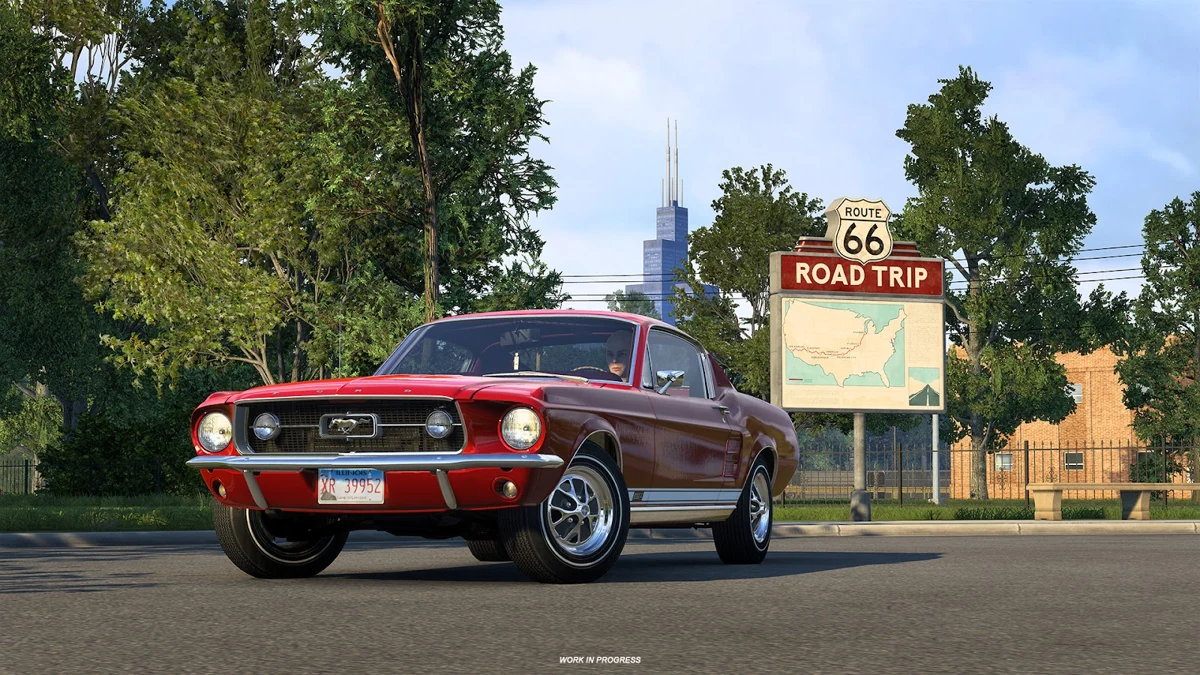
A red Ford Mustang beside a Route 66 Tourist Board in an official ATS screenshot
Road Trip: Ford / Route 66 Tourist Board

Route 66, with more to discover.

Atlas gains new Tourist Boards across ten states, including two in Nebraska. A separate Route 66 board links exploration locations across eight states to mark the road’s centenary.

The Atlas exploration feature comes with Road Trip: Ford. You can visit locations in the map areas you own; finishing the cross-state board and earning its postcard and air freshener requires every relevant map expansion.

Tourist Boards and DLC requirements
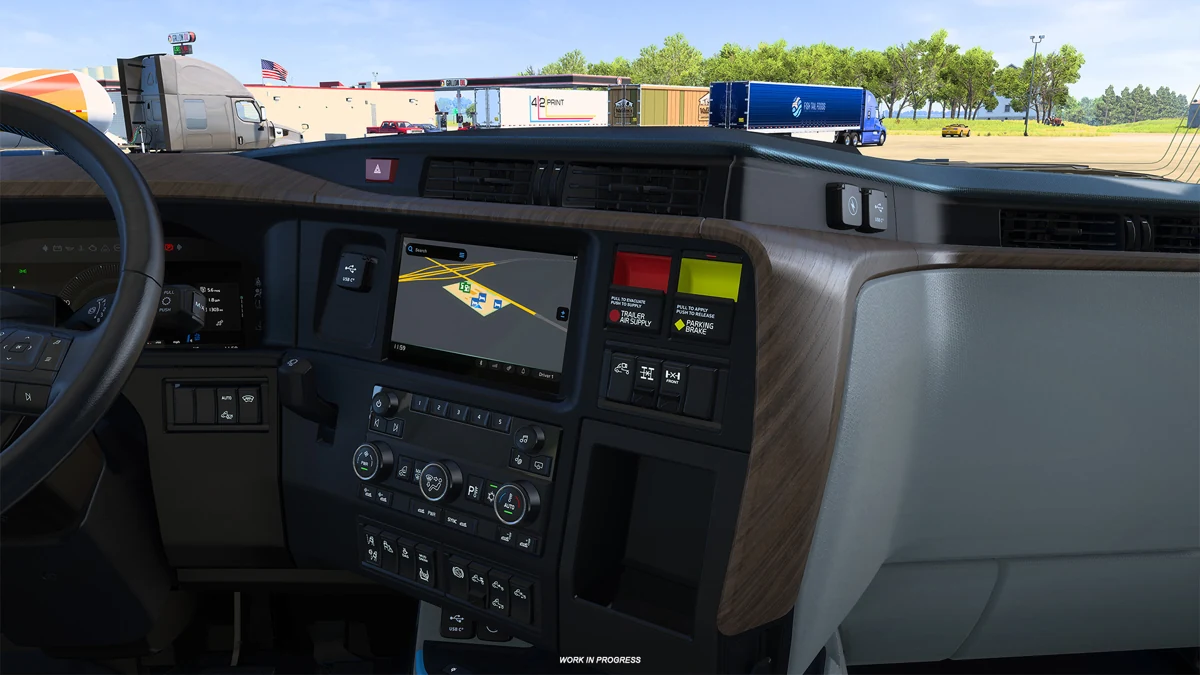
All-New Volvo VNL cabin showing SCS’s improved material system

A different light inside the Volvo VNL.

The improved material system reaches the All-New 2025 Volvo VNL cabin. Look for how upholstery, trim and other interior surfaces respond to light, rather than a completely new truck model.

See the interior update

An updated Escape playlist

SCS removed tracks that had caused copyright claims and added 11 songs. Escape is the station SCS identifies for streaming; this is not a blanket rights clearance for every radio station.

Goodyear paintwork refreshed

The Goodyear Tires Pack receives updated logos and colours. This change concerns that DLC’s paint jobs.

A familiar truck in AI traffic

The All-New 2025 Volvo VNL also joins the vehicles you can encounter on the road.

Read the complete SCS changelog

How to join the ATS beta on Steam

Use your owned copy of American Truck Simulator. The beta is a game branch, so there is no separate installer to download here.

Steam beta branch
public_beta

Select this in Beta Participation. The official instructions do not require entering a private access code.

  1. Keep your regular profile safe

    Before switching, make a separate backup with the game closed. For testing, we recommend a new profile that has never used mods.

  2. Open the game’s properties

    In Steam Library, right-click American Truck Simulator and choose Properties. Open Game Versions & Betas; older Steam layouts may call this Betas.

  3. Choose public_beta

    Select public_beta from the Beta Participation list. If it is missing, restart Steam and check again. Avoid selecting an unrelated experimental branch.

  4. Let Steam update the game

    Wait for the download to finish, then launch ATS and check the version shown by the game. Keep your first test session on the separate profile.

SCS’s Steam opt-in instructions

Before your first drive

Back up your profile and leave the beta

Our recommendation for local profiles: close the game, copy its user-data folder to a separate location and keep the pre-beta copy untouched. Steam Cloud profiles need separate handling, described alongside the paths.

When leaving, return to Steam’s Beta Participation menu, select None (or the equivalent opt-out option) and wait for the stable files to download. Use the profile you saved before testing; don’t assume a newer beta save will load in an older build.

Windows%USERPROFILE%\Documents\American Truck Simulator

If Documents is redirected to OneDrive, use its actual location. Copy the whole user-data folder for local profiles; read the separate Steam Cloud note below.

macOS~/Library/Application Support/American Truck Simulator

Use Finder’s Go to Folder with this path. Custom launch options can place user data elsewhere.

Linux~/.local/share/American Truck Simulator

This is the default native Linux location. A custom -homedir option or a Proton setup can use a different directory.

These are local user-data paths. Steam Cloud saves are managed separately; steam_profiles contains local hardware settings rather than the complete cloud save. Preserve cloud progress separately before switching your regular profile. If you cannot verify that backup, keep your regular profile untouched and create a new non-cloud test profile.

SCS user-data and log locations ↗
SCS Steam Cloud profile notes ↗

ATS beta troubleshooting

SCS warns that this beta may be unstable. The following are troubleshooting suggestions, not a list of defects confirmed for 1.62. Check the official issue board for individual reports and their status.

ATS 1.62 bug reports
I can’t see the beta branch

Restart Steam, reopen the game’s beta settings and look for public_beta. The SCS announcement explicitly recommends a client restart if the branch name is missing.

The game crashes with my mods

First reproduce the problem on a profile that has never had mods installed. The SCS reporting rules say simply disabling mods on an existing profile is not enough for a clean report.

The Tourist Board or its reward is missing

Check ownership of Road Trip: Ford and the relevant map expansions. You can explore the states you own, but the Route 66 board’s full reward requires all of its map areas and exploration locations.

My beta save won’t load after opting out

Keep the beta save intact and use your separate pre-beta backup for the stable build. Switching the Steam branch changes the game files; it does not convert your newer save into an older format.

How to report an ATS beta bug

Follow the forum’s current rules and use the American Truck Simulator 1.62 section. One report should cover one reproducible problem.

Official bug-reporting guide
  1. Describe what happened

    Include the exact game build, what you expected and the steps that trigger the problem on a clean profile.

  2. Attach the evidence

    Provide the complete game.log.txt from the affected session. For a crash, attach game.crash.txt when available; on macOS, check ~/Library/Logs/DiagnosticReports/ for an amtrucks crash report. Add screenshots or a short video if useful.

  3. Pinpoint map problems

    Include in-game coordinates and a screenshot with the minimap. Search the issue board first so an existing report can collect the evidence.

American Truck Simulator beta FAQ

How do I join American Truck Simulator 1.62 Open Beta?

In your Steam Library, right-click American Truck Simulator, open Properties, then Game Versions & Betas. Choose public_beta in Beta Participation and wait for the update. Restart Steam if the branch is missing. Back up your regular profile before switching.

Is 1.62 already the stable version?

This guide covers the open beta announced on October 20, 2026, checked on October 23. It is a test build; use the current SCS announcement to check whether the stable release has since arrived.

Do I need every DLC to join?

The base game is needed to use its Steam branch. Individual additions have their own DLC requirements: Atlas is part of Road Trip: Ford, while the Route 66 board’s full reward needs its relevant map expansions.

Should I use my everyday modded profile?

We recommend a separate profile. SCS requires a profile that has never used mods when reproducing bugs for a clean report.

Is this a beta download site?

No. Switch branches in Steam using your owned game. HY8BIT provides an independent guide and links to SCS; it does not host game files.

Can I go back to the normal version?

Opt out in Steam’s Beta Participation menu and let Steam restore the stable files. Keep and use your pre-beta backup rather than relying on a beta save to work with an older version.

Official SCS sources

Official sources, checked October 23, 2026. Backup and testing recommendations are HY8BIT editorial guidance. Images belong to SCS Software.